


When you launch iOS Unlocker, you plan to remove MDM for the normal iPhone and then click Start Removing. At this time, you will see a notice that you are asked to unlock Activation Lock on your iPhone screen. However, you don't know what Activation Lock is at all. In this article, you will know what it is and its related information you should know.
활성화 잠금이란 무엇입니까?
활성화 잠금은 에 포함된 기능입니다. 내 찾기. It's designed to prevent anyone else from using your iOS devices like iPhone, even if it's missed or stolen. If you enable Find My on your iPhone, the Activation Lock turns on automatically.
활성화 잠금을 사용하면 장치와 데이터를 더 안전하게 유지할 수 있습니다. iOS 기기를 원격으로 분실한 경우 활성화 잠금을 통해 다른 사람이 귀하의 허가 없이 기기를 다시 활성화하지 못하도록 할 수 있습니다.
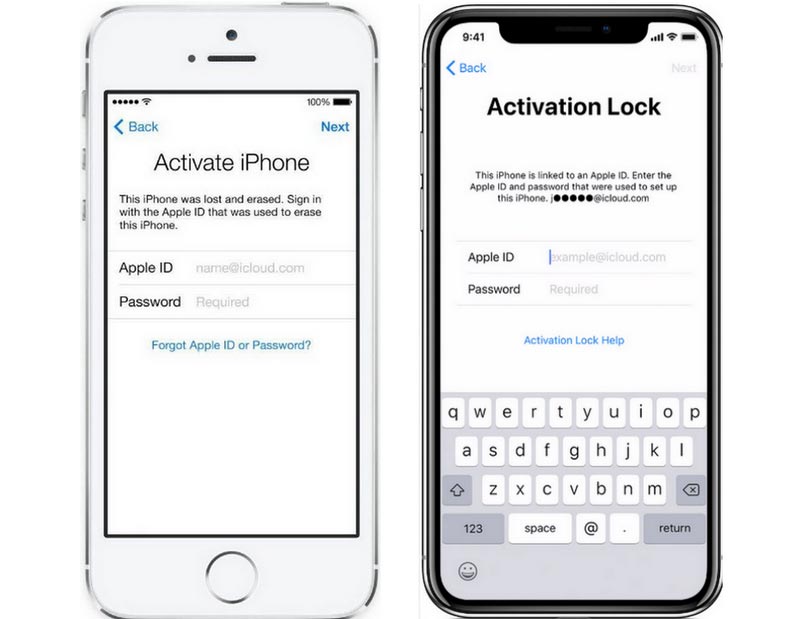
정품 인증 잠금
활성화 잠금 계정 및 암호는 무엇입니까?
제거 MDM mode is not an easy task when Find My is enabled on your iPhone. This is because before you start removing the MDM mode using iOS Unlocker, the Activation Lock screen will appear on your iPhone. Additionally, you must enter your Apple ID account and password to unlock the device.
그러나 많은 사용자는 동일한 이메일 ID로 두 계정에 액세스할 수 있기 때문에 Apple ID와 iCloud ID를 구별하지 못합니다. 아래와 같은 차이점이 있습니다.
애플 ID
Apple ID는 모든 Apple 서비스에 액세스하기 위한 계정입니다. 로그인 후 iCloud, App Store, Apple Music, iMessage 등을 사용할 수 있습니다.
iCloud ID
iCloud는 여러 기기에서 데이터를 동기화하고 액세스할 수 있는 계정입니다. iCloud ID는 Apple ID 로그인을 기반으로 하는 추가 서비스로 볼 수 있습니다. iCloud에 로그인하면 이메일 주소와 비밀번호가 Apple ID가 됩니다. 이 가이드에서는 활성화 잠금이 무엇인지 알아봅니다. 그리고 Apple ID 계정과 암호로 로그인해야 합니다. 올바른 Apple ID를 입력한 후 iPhone에서 MDM 모드를 계속 제거할 수 있습니다.
사람들은 또한 읽습니다 How to Unlock A Used iPhone without Passcode Easy Guide: How to Wipe A Locked iPad
Rosie 작성
최종 업데이트 : 2023 년 07 월 11 일