


It's now news that you have forgotten your iPhone 13 password; you can only panic when you have no options for a way out. You are spoilt for choice on the best and fastest method to use to regain control of your iOS device.
Here we discuss the four best ways jak odblokować iPhone'a 13 bez kodu dostępu, and with that, you are at liberty to make the right choice. We look at both offline and online options to diversify the methods based on the digital solutions you have at hand. The only thing that should worry you is the information on the locked iPhone 13.
Chociaż odblokowanie iPhone'a is like restoring it to factory settings, you can only cry over your data if you don't have a backup data plan before unlocking; if not, You will set the iPhone 13 to factory settings and still have your information intact. Continue reading to get the methods to use to unlock your iPhone 13.
Przewodnik po zawartości Part 1: How To Unlock iPhone 13 Without Passcode Using Recovery Mode [Via iTunes]Part 2: How to Unlock iPhone 13 Without Passcode Using iOS Unlocker [Easiest]Part 3: How To Unlock iPhone 13 Without Passcode Using Find My iPhone [Via iCloud]Part 4: How to Unlock iPhone 13 Without Passcode Using Face ID [Without Computer]Podsumowanie
Part 1: How To Unlock iPhone 13 Without Passcode Using Recovery Mode [Via iTunes]
iTunes is an Apple-based application that also comes in handy to manage several security features. This method only works if you have connected the iPhone 13 device to iTunes before; if not, you have to look for more options on how to unlock iPhone 13 without a passcode.
Oto kroki
- Pobierz i zainstaluj najnowsza wersja iTunes
- Connect the iPhone 13 to the computer using the USB cable
- Naciśnij przycisk zwiększania głośności and release as you also do the same to the volume down button, then hold the side button until you get the connect to the computer notification
- Otwarte the iTunes application and wybierać iPhone 13 device on the interface.
- Click restore iTunes, and a hello screen appears for a new setup.
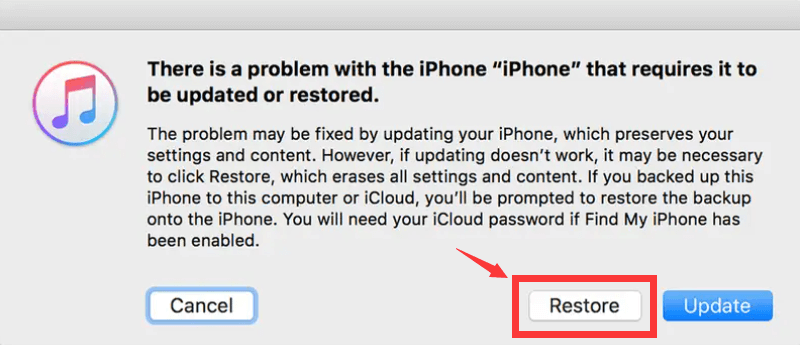
As simple as that, you have unlocked your iPhone 13 without a passcode. If you haven't synced the device to iTunes before, you need to use a different method. Read on to get more ways how to unlock iPhone 13.
Part 2: How to Unlock iPhone 13 Without Passcode Using iOS Unlocker [Easiest]
Odblokowywanie iOS is a third-party digital solution specifically designed to unlock iPhones. The toolkits operate in three modes making it a comprehensive toolkit for all forms of unlocking, including the Apple ID. They include Wipe passcode, Remove Apple ID, and Screen Time management.
Darmowe pobieranie Darmowe pobieranie
The application gives you complete control of the iOS device and has no limit on the forms of Apple device it supports. On Passcode removal, it erases all manner of passcodes, including the Face ID, pattern, or digital passcode. This tool can easily unlock all iPhone models, such as unlocking the iPhone 5s with ease. Download the app from the below button and begin a free trial to unlock your iOS device including the latest version.
The simplicity of how to unlock iPhone 13 without passcode makes it one of the well-sought-after ways since it needs no prior activations to use the toolkit. The only challenge is when you haven't backed up your iPhone 13 data.
If not, the pad application works on a month-long accessible mode with a money-back guarantee, but with four steps, you have your iPhone restored to its factory settings.
Here are the steps to have your iPhone 13 back to normal.
- Download and install iOS Unlocker for free
- Wybierz Wyczyść tryb kodu dostępu
- Wybierz Rozpocznij button and use a USB cable to connect to the computer
- Accept the trust conditions and confirm the displayed device details and click Rozpocznij
- Wait for the firmware download process to complete and click the Odblokować ikona
- Enter "0000" jako kod odblokowujący
- The iPhone 13 is free from the passcode
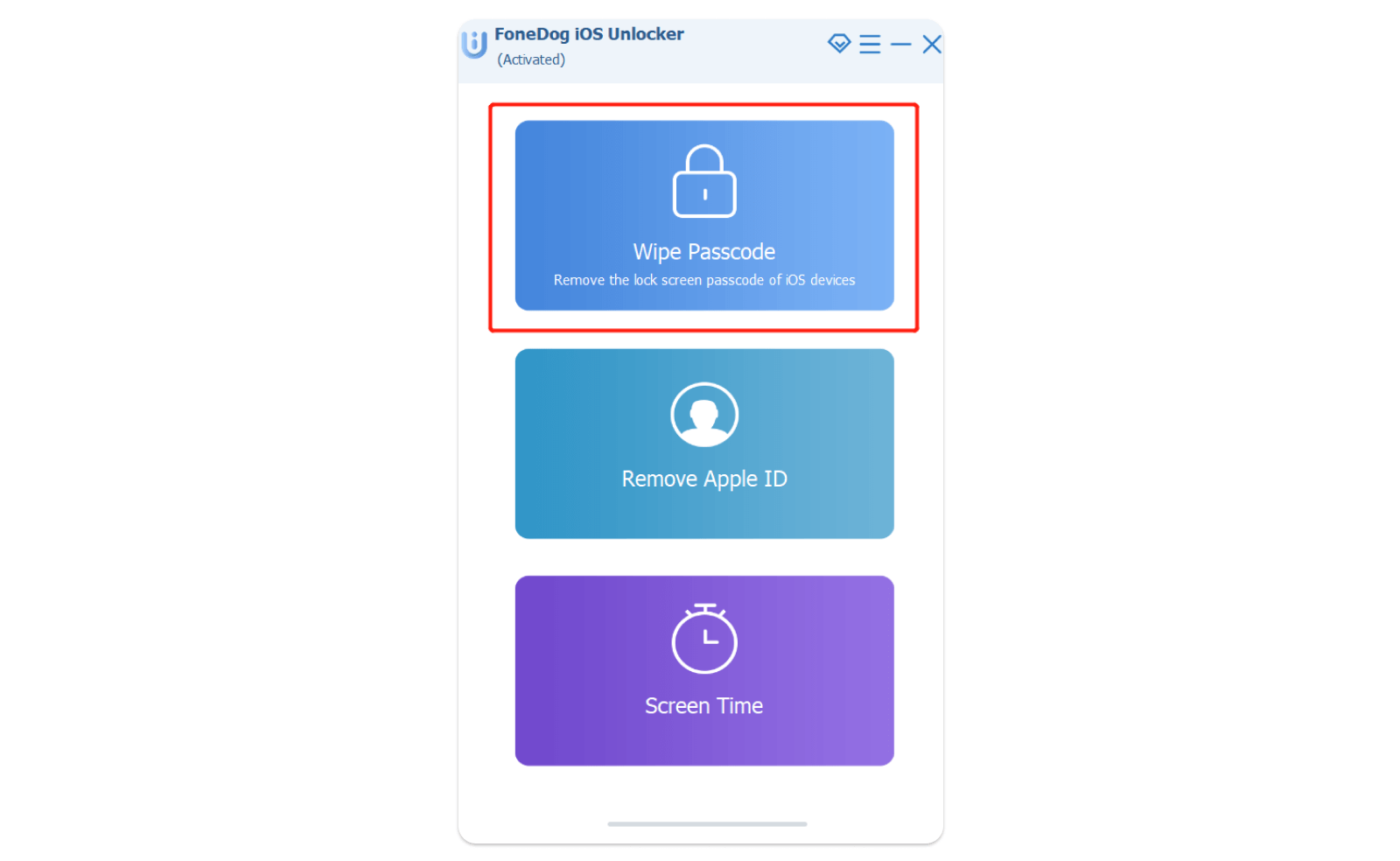
Is there a digital solution with such simple steps that need no integrations to remove the unlock code? Try it and get to enjoy its unlock services with no limitations.
Part 3: How To Unlock iPhone 13 Without Passcode Using Find My iPhone [Via iCloud]
This is a good feature from Apple that most people only use to locate stolen iPhones. The same feature is one of the methods you can use to how to unlock iPhone 13 without a passcode.
The only disadvantage of the toolkit is that you must have synched the iPhone 13 to Find My iPhone prior to the lock menace; if not, you still have to explore more options discussed in this article.
Jakie są wymagane kroki?
- Use your preferred browser and open iCloud.com w Twoim komputerze
- Enter the iCloud account login details, which include the Apple ID
- On the top menu, choose the "All Devices" option and select the locked iPhone 13 device
- Wybierz wymazać icon, and all data will be deleted, including the passcode.
This feature is essential to unlock the functions and locate the iPhone when it's not in your custody.
Part 4: How to Unlock iPhone 13 Without Passcode Using Face ID [Without Computer]
It's not only the password that is the best security. The face ID is also a good feature that gives you an option on how to open a iPhone 13 without passcode. Here are the few steps you need to set it up
- Open the iPhone 13 and Przejdź do ustawień
- Kliknij Identyfikator twarzy oraz hasło ikona
- Stuknij w Identyfikator twarzy Przycisk
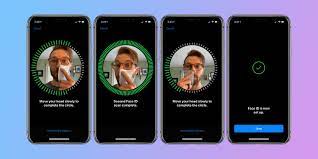
- Position your face in a portrait orientation as you face the front camera
- Stuknij w Zacznij teraz ikona
- Move your head to fill the enclosed circle
Ludzie również czytająGratulacje! Twój iPhone został odblokowanyŁatwy przewodnik: Jak odblokować iPada bez kodu dostępu
Podsumowanie
You can't afford to have your iPhone 13 locked when you have several methods on how to unlock iPhone 13 without a passcode. Forgetting your passcode is not a sin and is an average anomaly in the digital market; information on how to navigate through the problem is what you need. Among the third-party solutions, iOS Unlocker is your go-to application for unlocking Apple devices. Several other options not discussed above that you also need to explore.
Napisane przez Rosie
Ostatnia aktualizacja: 2022-03-24