


Get ready to explore the functions of Amazon Music Unlocker and find out how to download, install and register the software easily. Then follow the instructions below to use Amazon Music Unlocker to unlock and convert the songs to the formats you want, like MP3, M4A, WAV, or FLAC format.
Przewodnik po zawartości Part 1. Download and Install Amazon Music UnlockerPart 2. How to Register Amazon Music UnlockerPart 3. How to Use Amazon Music Unlocker to Convert Amazon Music SongsMasz więcej pytań? Skontaktuj się z nami teraz
Part 1. Download and Install Amazon Music Unlocker
Step 1. First, download Odblokowywanie muzyki Amazon on your Windows or Mac computer by pressing the download link below.
- Dla użytkowników Windows: https://www.ios-unlocker.com/download/amazon-music-unlocker.ex
- Dla użytkowników komputerów Mac: https://www.ios-unlocker.com/download/amazon-music-unlocker.dmg
Darmowe pobieranie Darmowe pobieranie
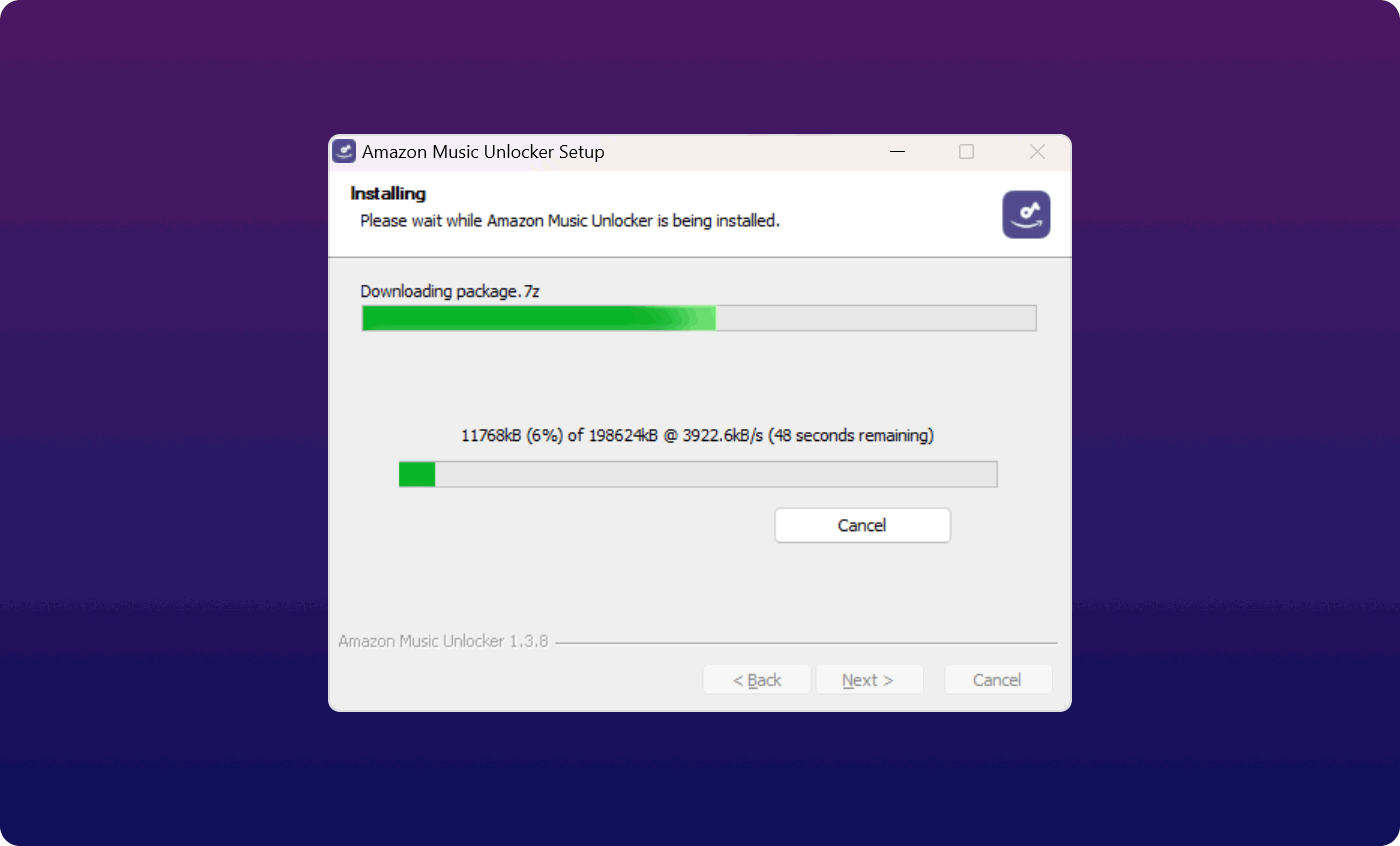
Step 2. After the downloading process, open the download package of Amazon Music Unlocker and start the installation.
Step 3. When the installation process is finished, run the Amazon Music Unlocker on your computer.
Part 2. How to Register Amazon Music Unlocker
Amazon Music Unlocker is available in a free trial version and a registered version that users can choose from.
Jaka jest różnica między wersją próbną a wersją zarejestrowaną?
Users have a free trial of this software for 30 days. The free trial version of Amazon Music Unlocker provides support for converting only the first 3 minutes of each audio file.
Thus, the free trial version is mainly used by users to evaluate its features. If you want to remove all limitations, you can purchase a license and then register the software so as to get access to the full version.
Steps to register Amazon Music Unlocker
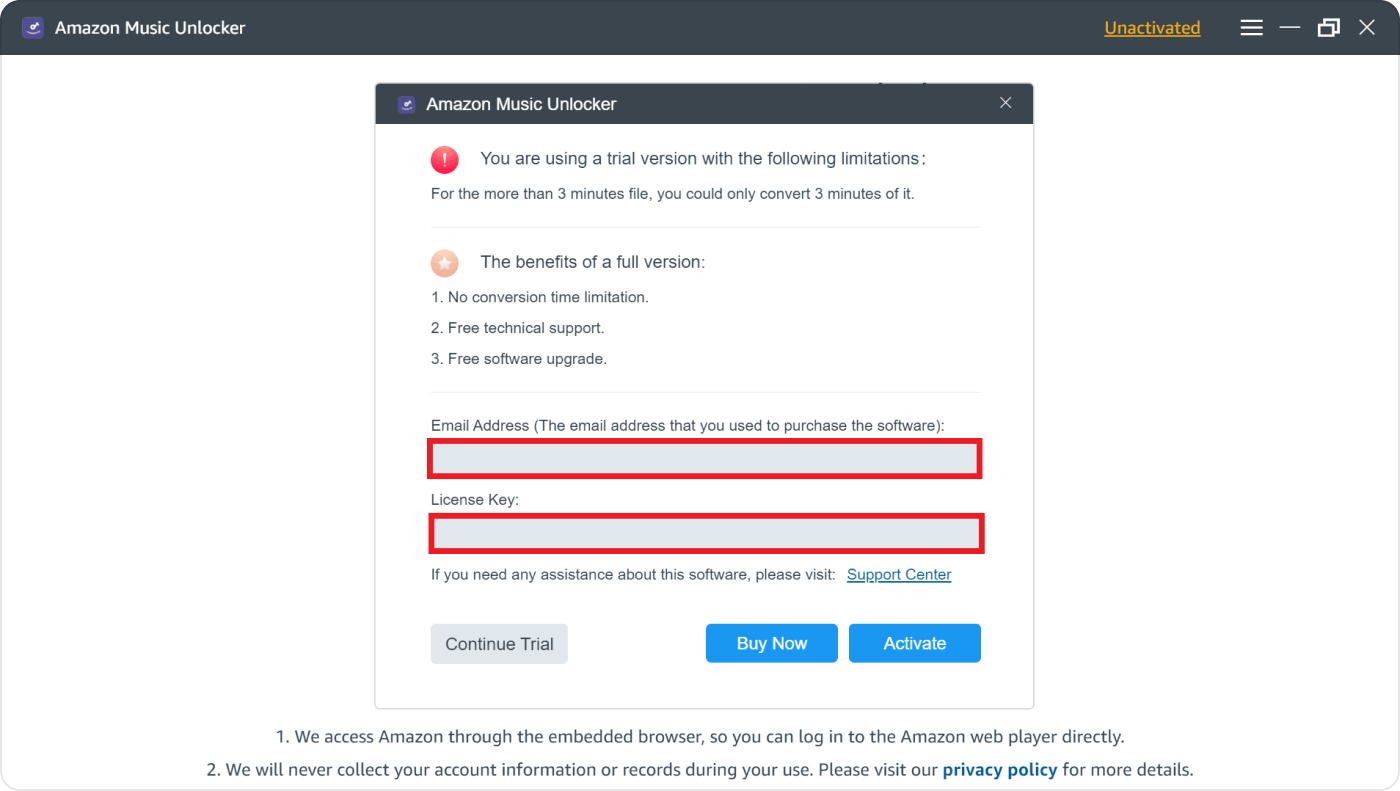
You will receive an email with a license key if you have already purchased a license from our website. For you to register Amazon Music Unlocker and unlock all the limitations, please follow these steps:
- Step 1. Start the software and click on "Nieaktywowany ".
- Step 2. Complete your Adres e-mail (używane do zakupu licencji) i Klucz licencyjny. Simply copy your license key from your email inbox and then go back into the software to paste it.
- Krok 3. Kliknij „Aktywuj " to register Amazon Music Unlocker.
Uwaga: You can purchase the license first by pressing "Kup teraz " from the pop-up window if you want to access the full version but have not purchased the license yet.
Rejestracja może się nie powieść z kilku powodów:
- Przypadkowe dodanie spacji przed lub po kodzie rejestracyjnym lub adresie e-mail.
- Zakupiono niewłaściwą wersję licencji. Na przykład użytkownicy systemu Windows kupili wersję na Maca zamiast na Windowsa.
- Podano nieprawidłowy adres e-mail.
Jeżeli zakupiłeś niewłaściwą wersję lub nie możesz dowiedzieć się, dlaczego rejestracja się nie powiodła, skontaktuj się z naszym centrum pomocy technicznej za pośrednictwem wsparcie@ios-unlocker.com.
Part 3. How to Use Amazon Music Unlocker to Convert Amazon Music Songs
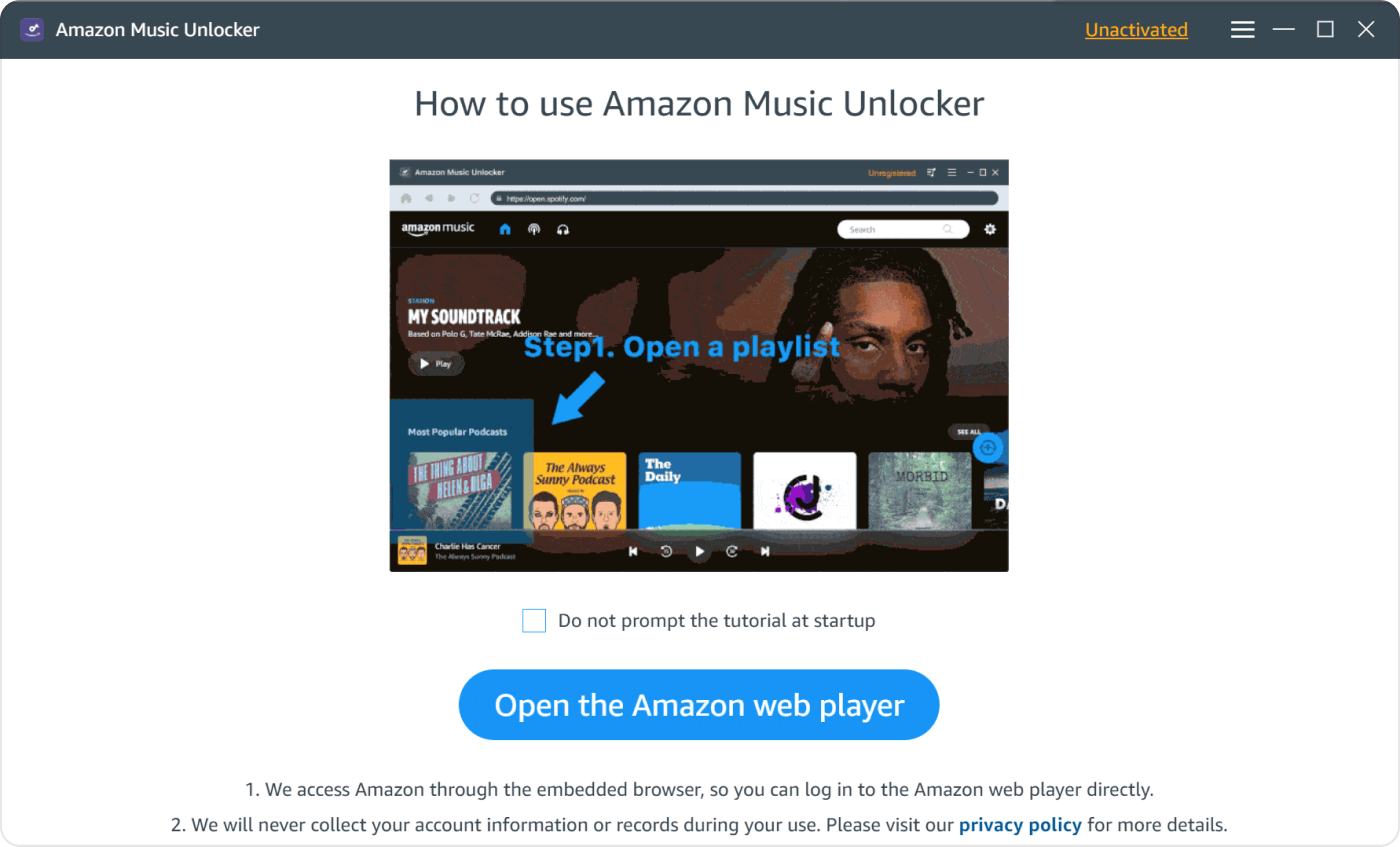
Step 1. Open the Amazon Web Player
From the main screen of Amazon Music Unlocker, click "Otwórz odtwarzacz internetowy Amazon ".
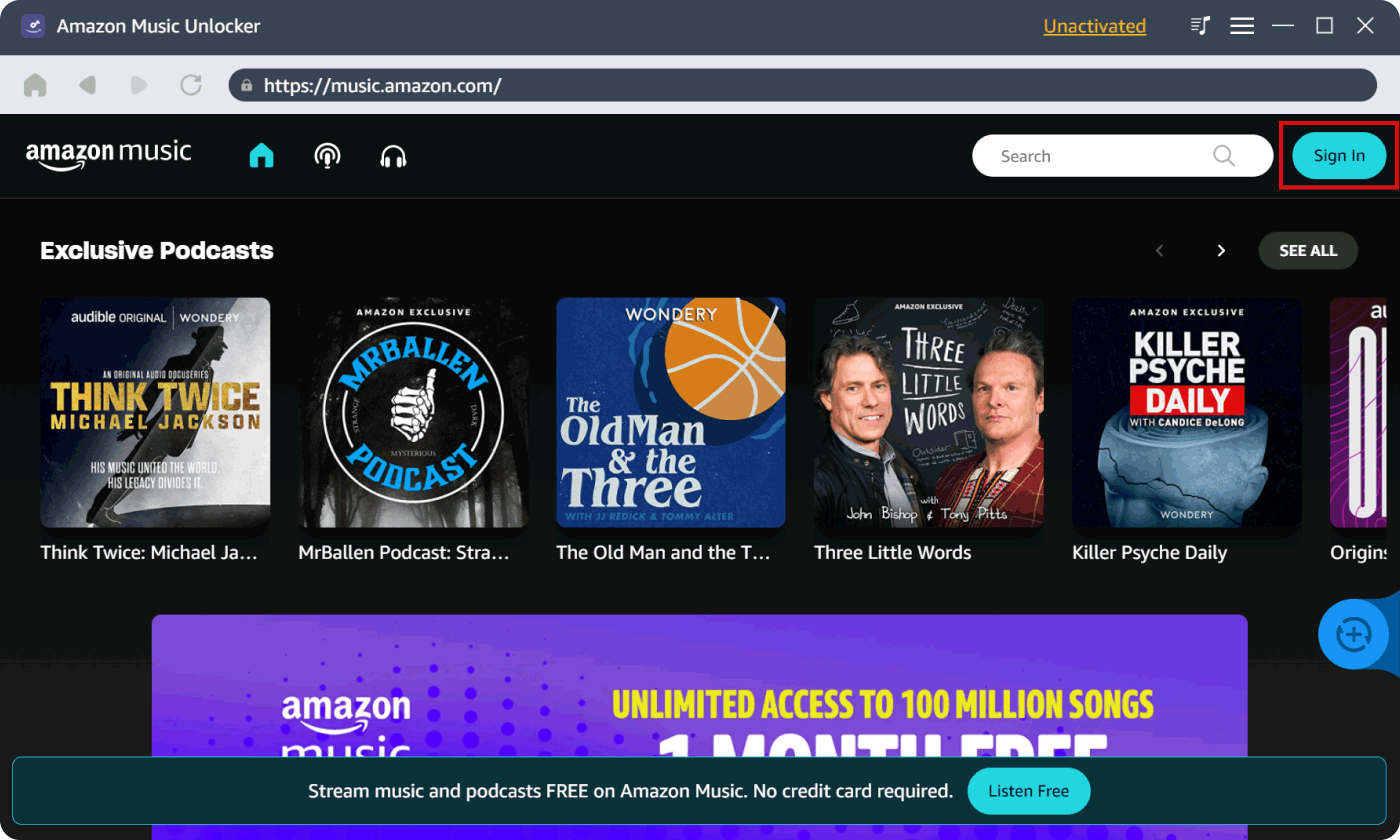
Krok 2. Zaloguj się na swoje konto Amazon
Naciśnij "Zaloguj się " from the upper-right corner of the Amazon web player to log in to your Amazon account in Amazon Music Unlocker.
Uwaga: Amazon Music Unlocker will not collect your account info.
Krok 3. Dodaj Amazon Music
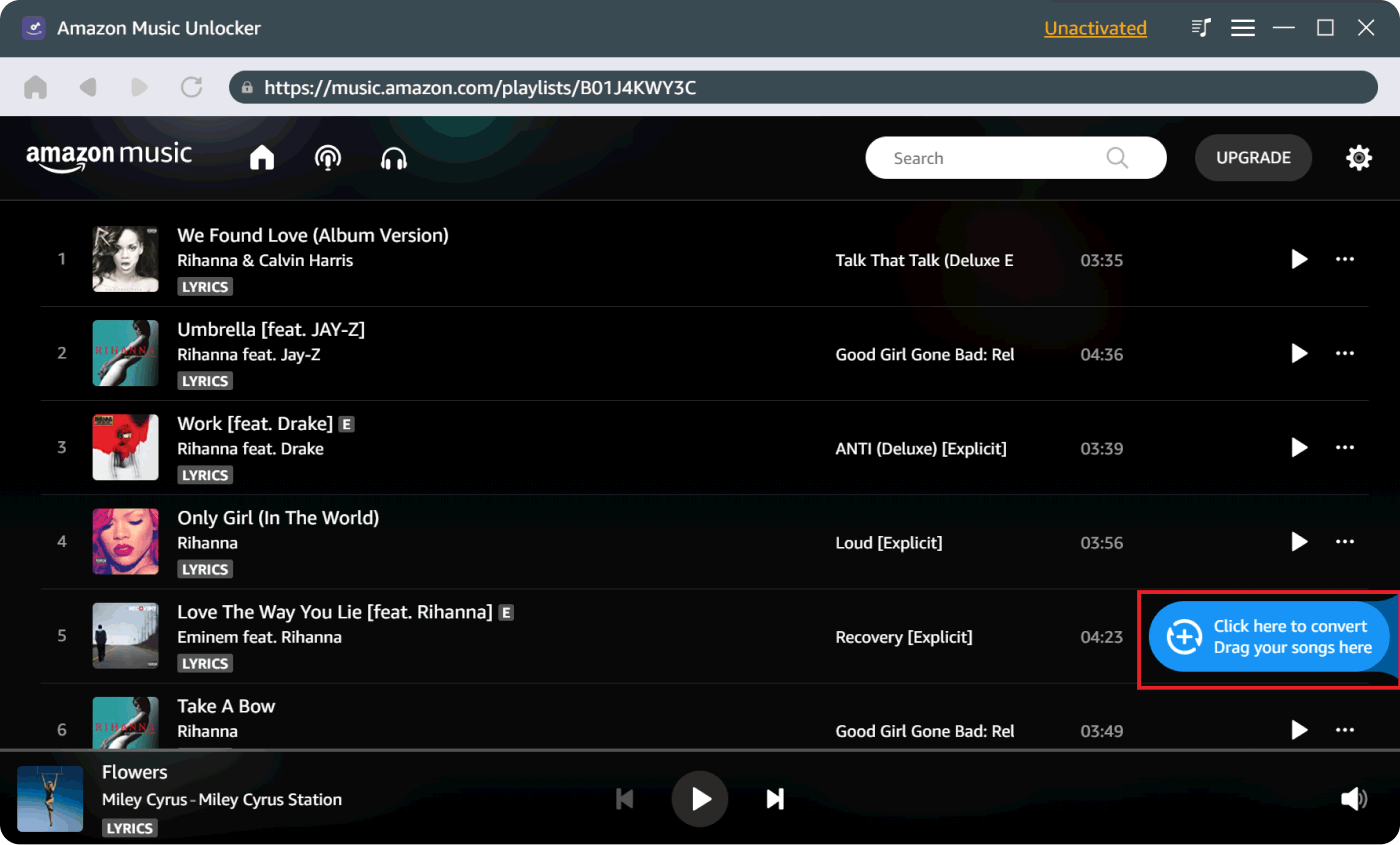
Open a playlist and click the blue add icon, then all tracks in that playlist will be added to the list. Alternatively, drag the playlist title to the blue icon.
If you only want to choose a specific track, simply drag its title to the blue add icon to add it to the list.
Uwaga: This software is able to recognize duplicate songs and avoid adding them again to the list.
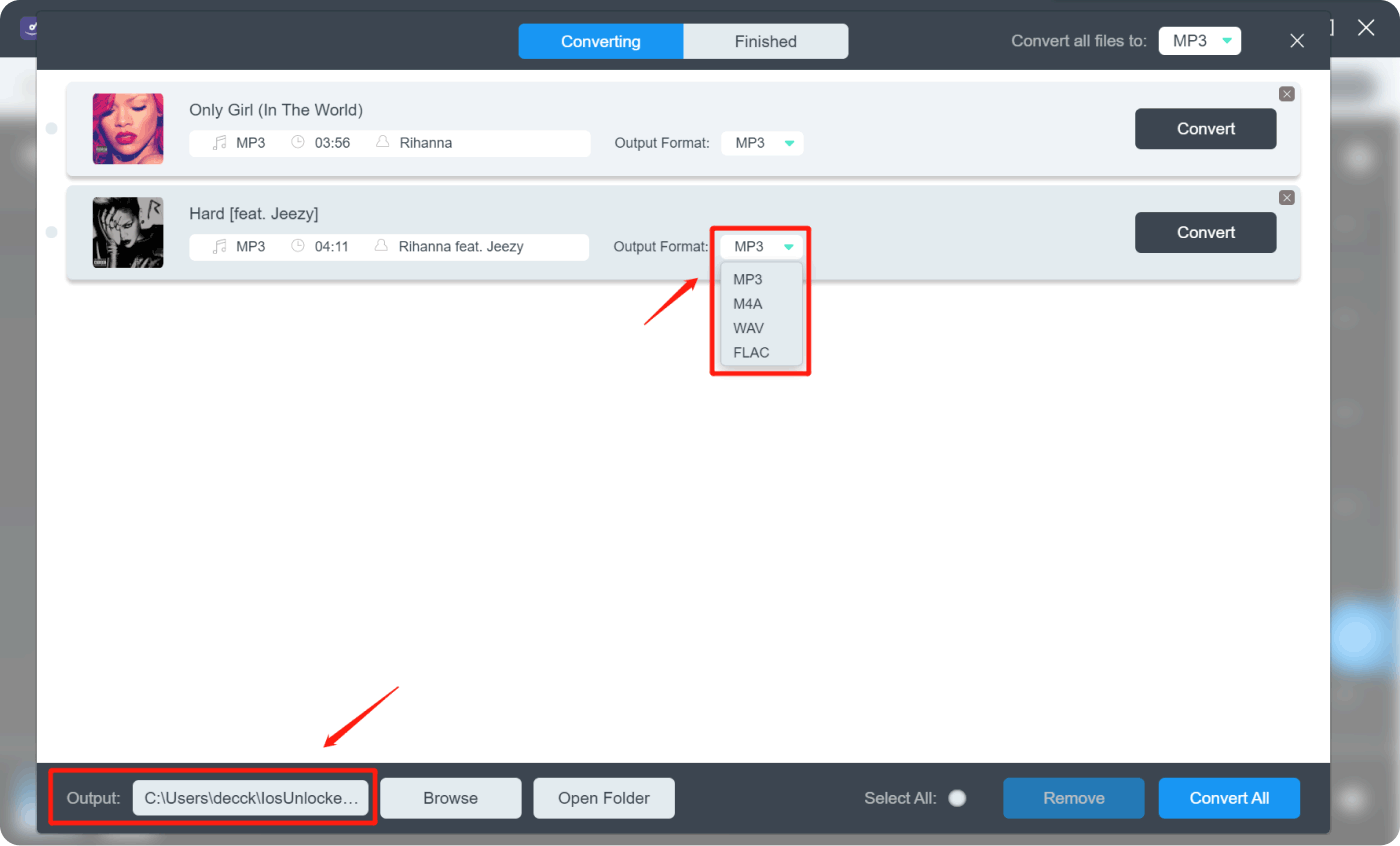
Step 4. Choose Desired Output Format
Wybierz żądany format wyjściowy, taki jak MP3, M4A, WAV lub FLAC. W razie potrzeby możesz również wybrać folder wyjściowy.
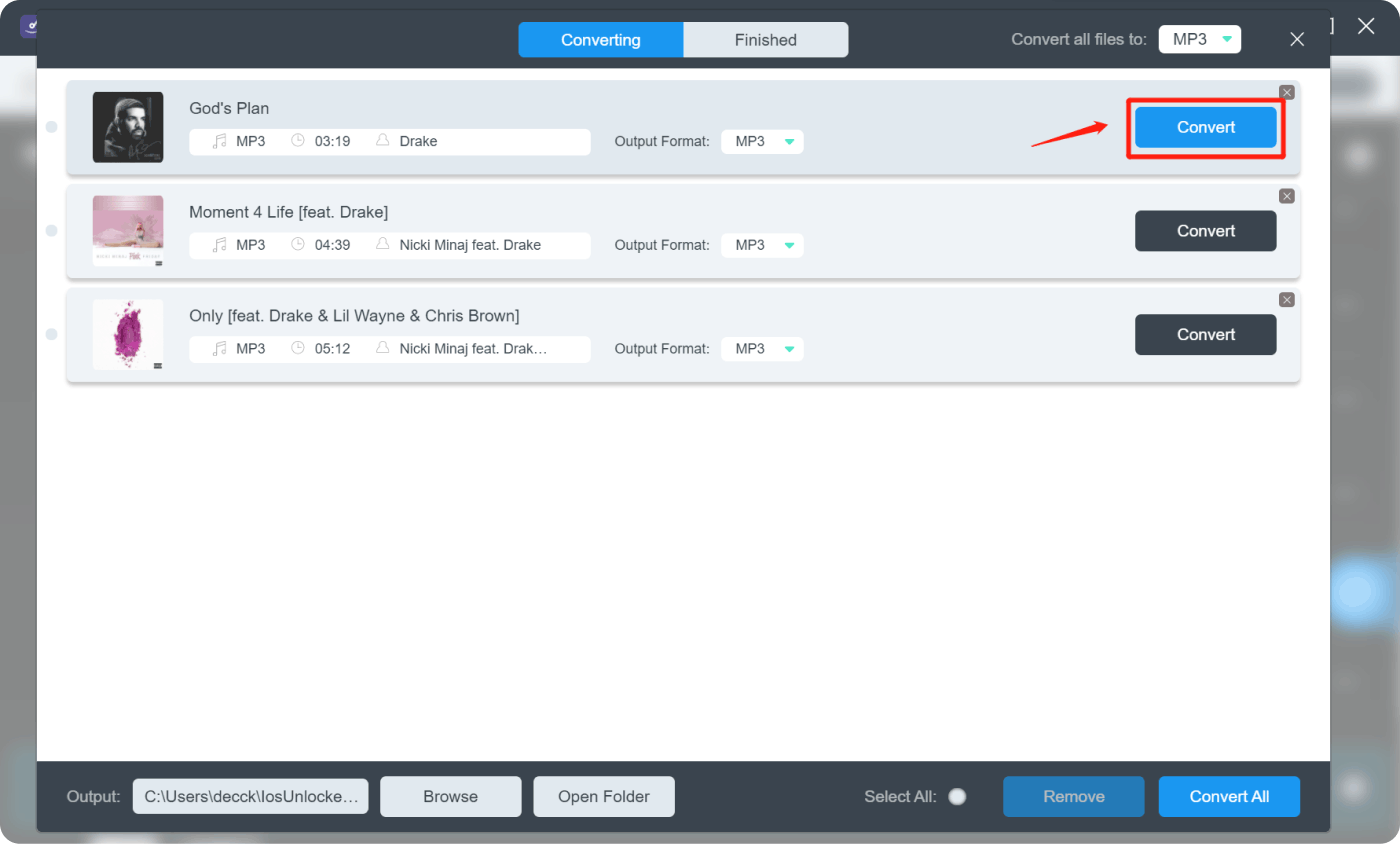
Krok 5. Rozpocznij konwersję
Select specific tracks or multiple tracks, and click "konwertować "Lub"Skonwertuj wszystko ", aby rozpocząć konwersję.
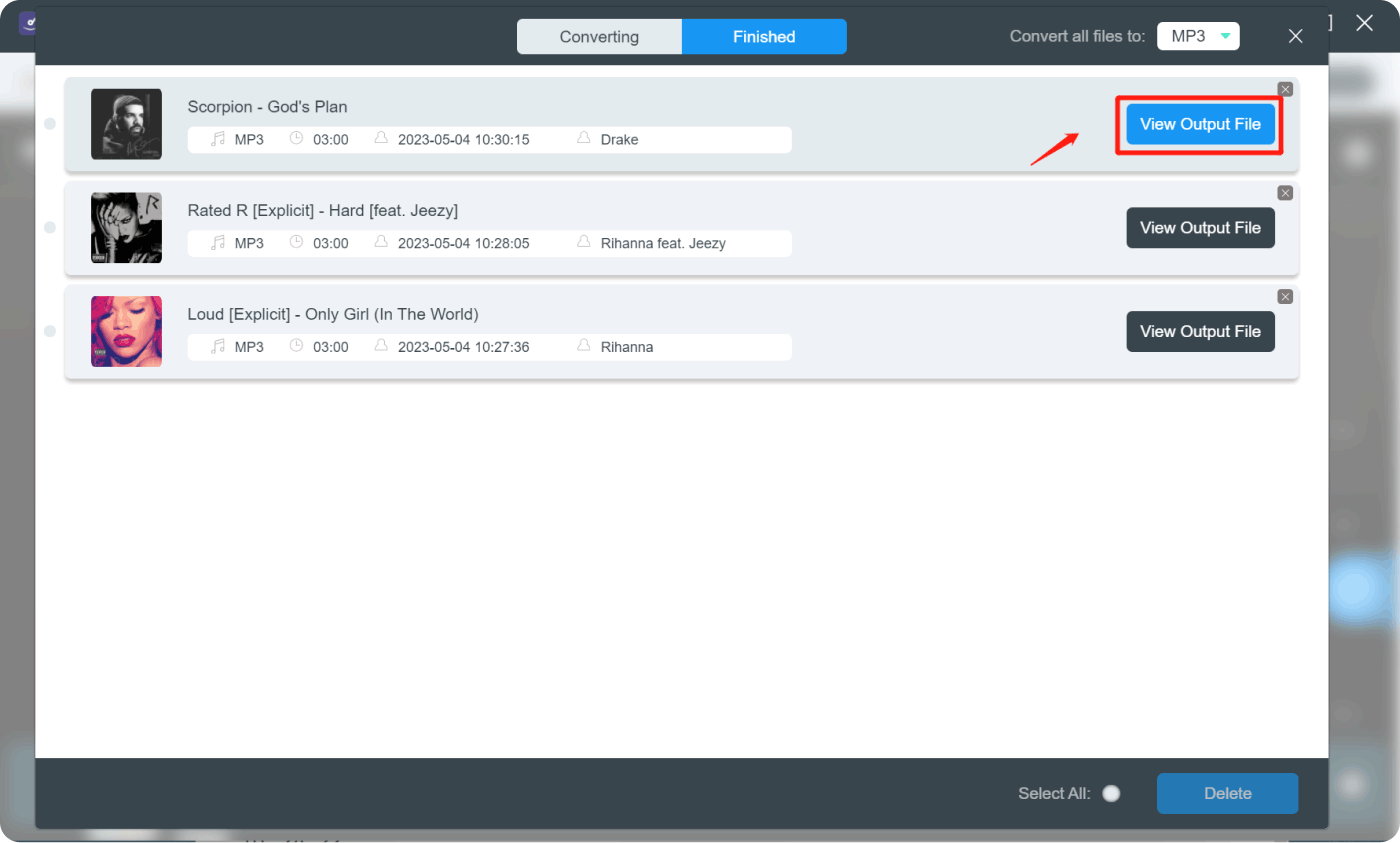
Krok 6. Wyświetl pliki wyjściowe
Po zakończeniu konwersji kliknij „Wyświetl plik wyjściowy " z "Gotowy " moduł do sprawdzania przekonwertowanych utworów.
Masz więcej pytań? Skontaktuj się z nami teraz
Obiecujemy zapewnić najlepsze rozwiązania dla wszystkich użytkowników. W razie dodatkowych pytań prosimy o kontakt z naszym zespołem wsparcia. wsparcie@ios-unlocker.comNasz Zespół Wsparcia odpowie Ci w ciągu 48 godzin od sprawdzenia Twojej poczty e-mail.
Napisane przez Rosie
Ostatnia aktualizacja: 2023-05-10