


Read this comprehensive guide for the easy-to-use Audible Unlocker that lets you unlock and convert Audible audiobooks from AA/AAX to common lossless MP3 format and other popular formats.
Przewodnik po zawartości Part 1. Download and Install Audible UnlockerPart 2. How to Register Audible UnlockerPart 3. How to Use Audible Unlocker to Convert Audible AA/AAX AudioMasz więcej pytań? Skontaktuj się z nami teraz
Part 1. Download and Install Audible Unlocker
Step 1. Click on the download link below to download Odblokowanie dźwiękowe from your Windows or Mac computer.
- Dla użytkowników Windows: https://www.ios-unlocker.com/download/audible-unlocker.exe
- Dla użytkowników komputerów Mac: https://www.ios-unlocker.com/download/audible-unlocker.dmg
Darmowe pobieranie Darmowe pobieranie
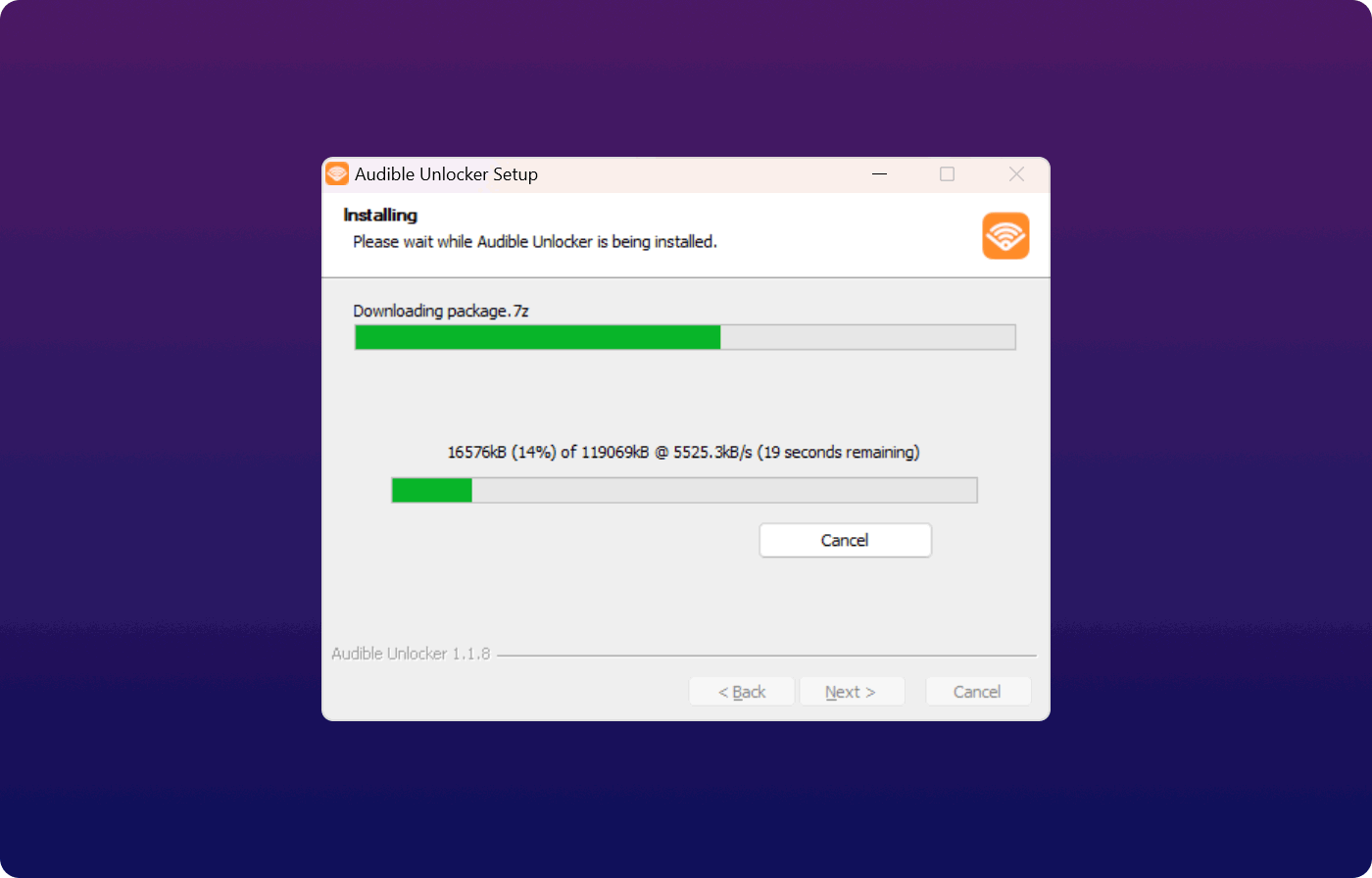
Step 2. Once the download process is complete, start the installation by opening the download package.
Step 3. After successfully installing the software, run Audible Unlocker on your computer.
Part 2. How to Register Audible Unlocker
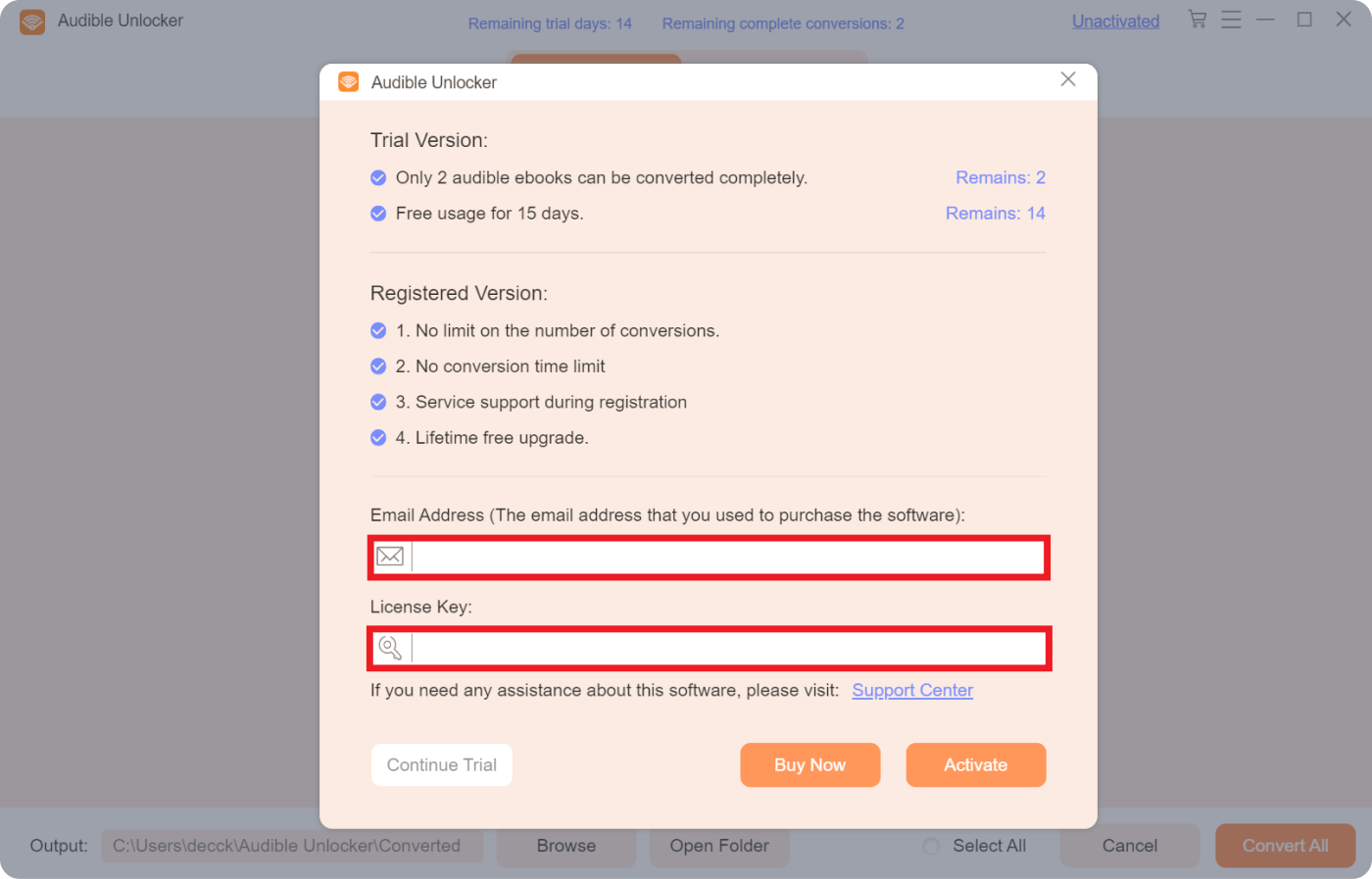
Audible Unlocker provides a free trial version and a registered version for users to enjoy the features.
Jaka jest różnica między wersją próbną a wersją zarejestrowaną?
Users can enjoy a free trial of Audible Unlocker for 30 days. The free trial version allows converting the first 3 minutes of each audio, and only 2 Audible audios can be fully converted.
Therefore, the free trial is mainly used for users to evaluate the functions. If you want to remove all the restrictions, you can purchase a license and then register the software to get access to the full version.
Steps to register Audible Unlocker
If you have purchased a license from our website, your license key will be sent to your email inbox. Follow the steps below to register Audible Unlocker and get the full version:
- Step 1. Run Audible Unlocker on your computer and then click "Nieaktywowany".
- Step 2.Enter your Adres e-mail (używane do zakupu licencji) i Klucz licencyjny. You can simply copy your license key from your email inbox.
- Step 3. Then, click "Aktywuj" rejestrować.
Uwaga: If you want to get access to the full version but haven't purchased a license, you can click "Kup teraz" to purchase a license first.
Rejestracja może się nie powieść z kilku powodów:
- Przypadkowe dodanie spacji przed lub po kodzie rejestracyjnym lub adresie e-mail.
- Zakupiono niewłaściwą wersję licencji. Na przykład użytkownicy systemu Windows kupili wersję na Maca zamiast na Windowsa.
- Podano nieprawidłowy adres e-mail.
Jeżeli zakupiłeś niewłaściwą wersję lub nie możesz dowiedzieć się, dlaczego rejestracja się nie powiodła, skontaktuj się z naszym centrum pomocy technicznej za pośrednictwem wsparcie@ios-unlocker.com.
Part 3. How to Use Audible Unlocker to Convert Audible AA/AAX Audio
Step 1. Add AA/AAX Files
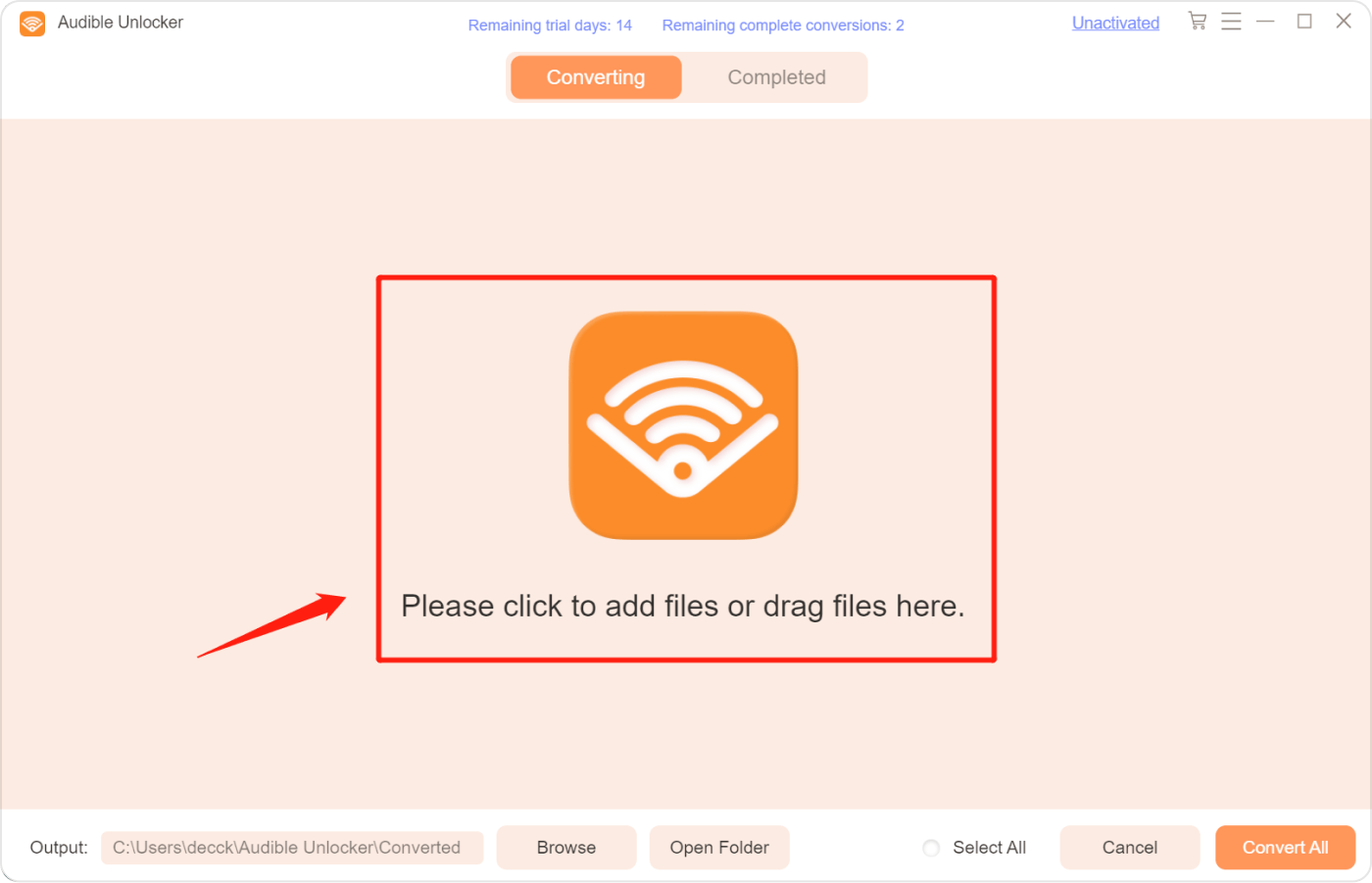
On the main interface of Audible Unlocker, click to add files or drag files to the software.
Step 2. Select Desired Output Format and Output Folder
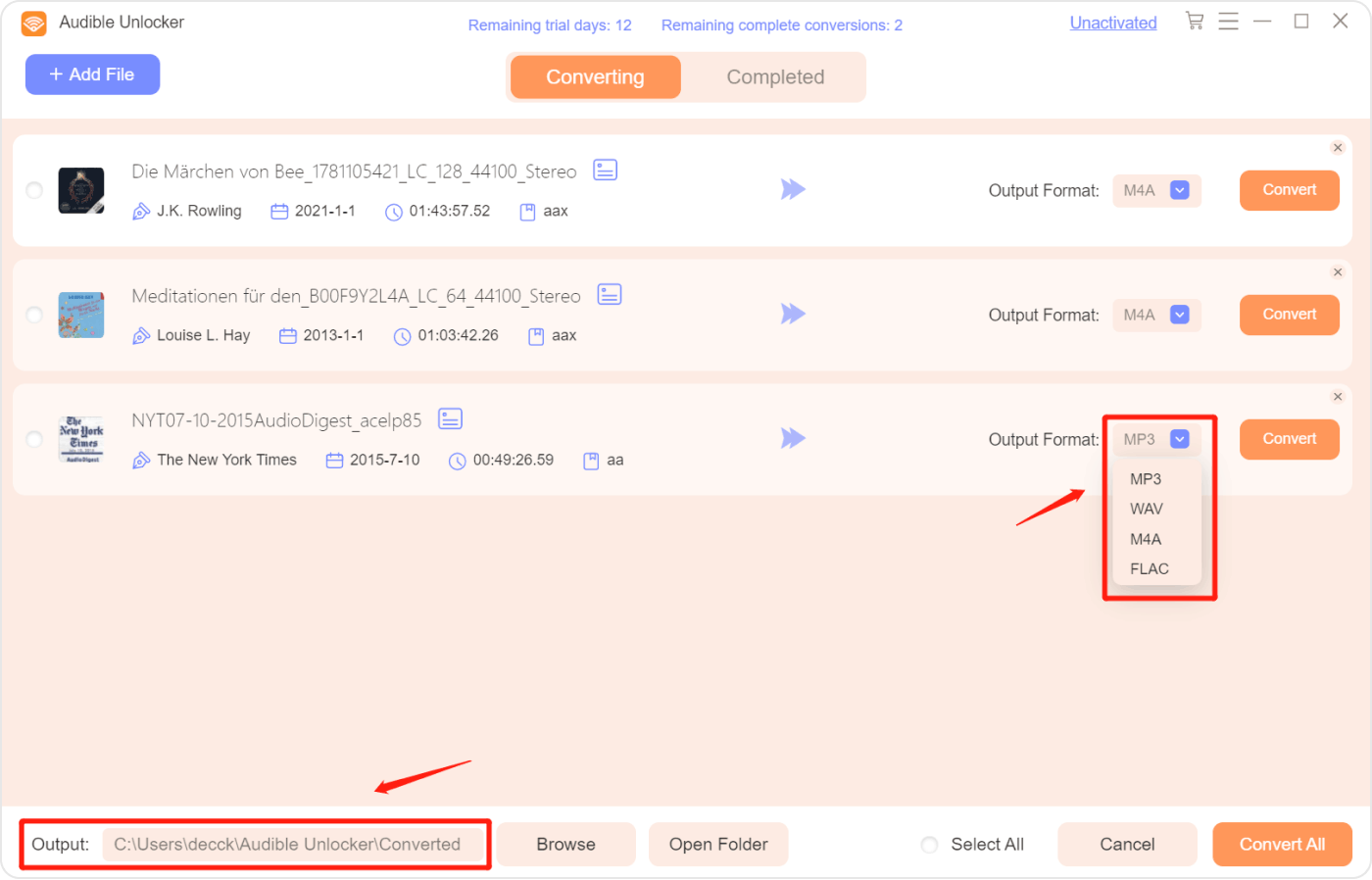
Choose the output format, such as MP3, WAV, M4A, or FLAC. Then, select an output folder if you want. You can also click "Dodaj plik" from the upper left corner to add more files.
Besides, you can customize the output settings to split the converted files into chapters. To do this, simply click the hamburger icon from the upper right corner, then choose "Split by chapters" and press "Save".
Uwaga: If you need to keep the chapter info, please choose M4A as the output format.
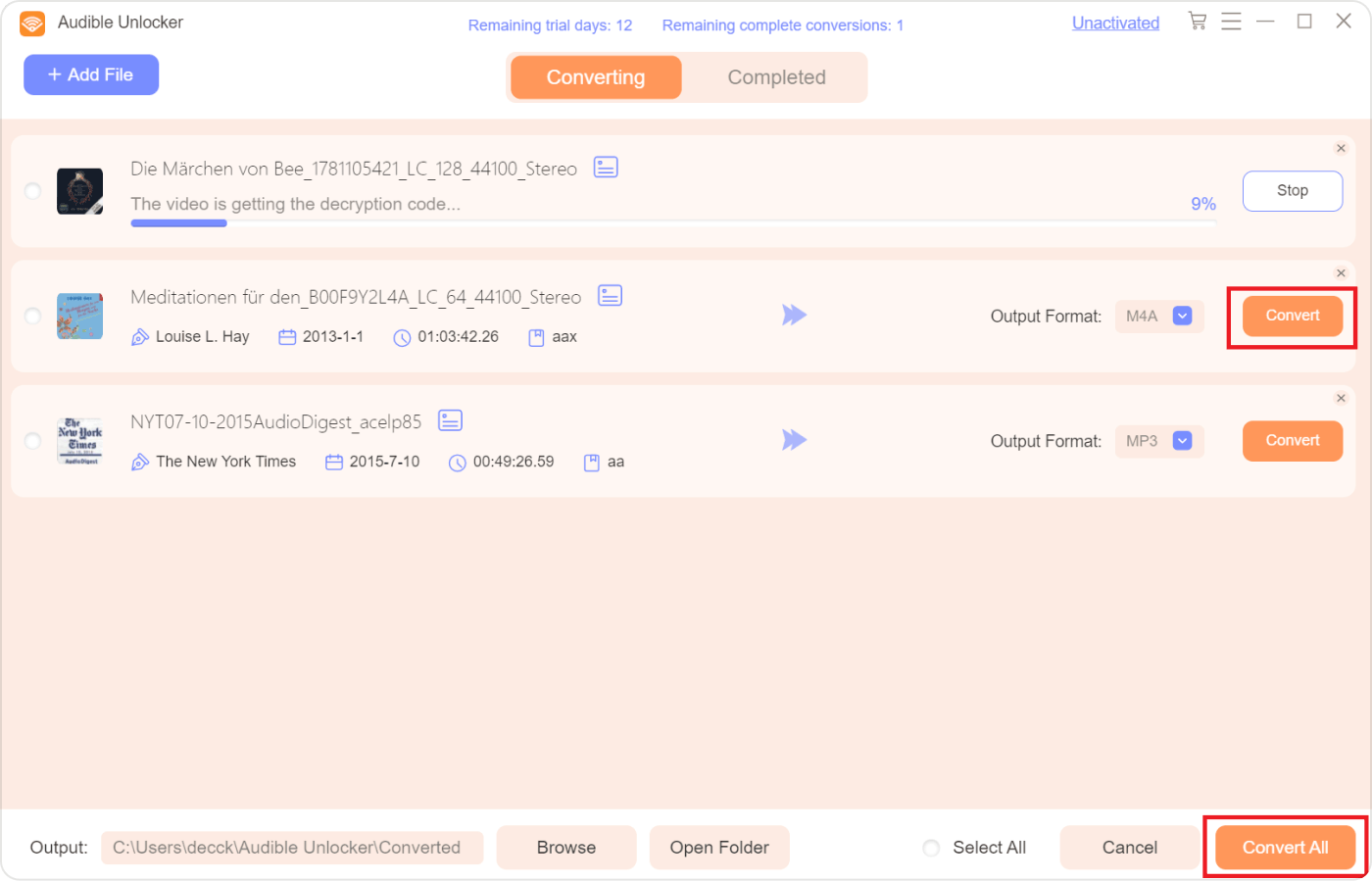
Krok 3. Zacznij konwertować AA/AAX na MP3
Start converting Audible Audiobooks to MP3 or other formats by clicking "konwertować"Lub"Skonwertuj wszystko".
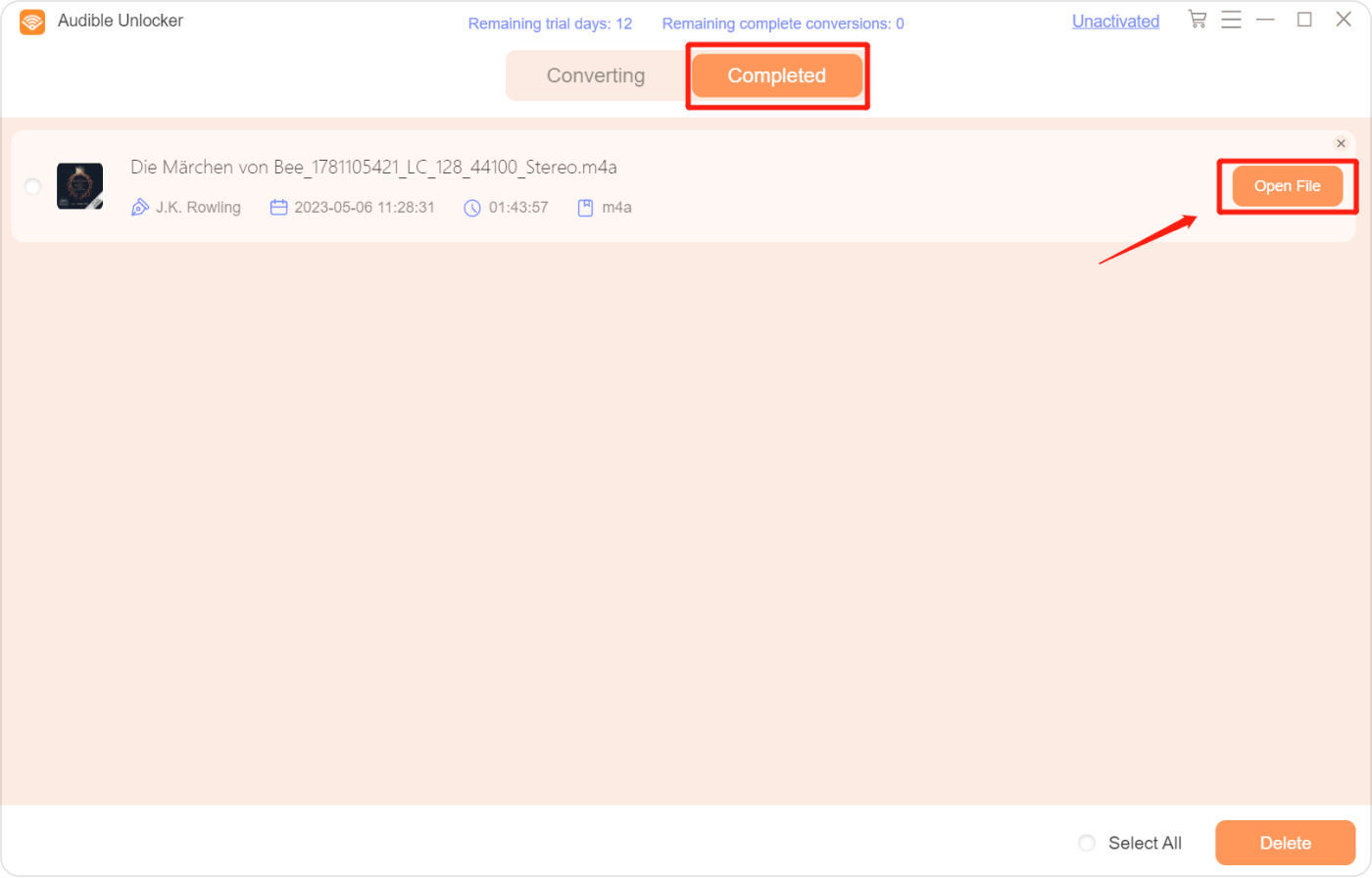
Krok 4. Wyświetl przekonwertowane pliki
When the conversion process is completed, click "Otwórz plik„aby wyświetlić przekonwertowany plik audio w sekcji”Zakończony".
Masz więcej pytań? Skontaktuj się z nami teraz
Obiecujemy zapewnić najlepsze rozwiązania dla wszystkich użytkowników. W razie dodatkowych pytań prosimy o kontakt z naszym zespołem wsparcia. wsparcie@ios-unlocker.comNasz Zespół Wsparcia odpowie Ci w ciągu 48 godzin od sprawdzenia Twojej poczty e-mail.
Napisane przez Rosie
Ostatnia aktualizacja: 2023-05-10